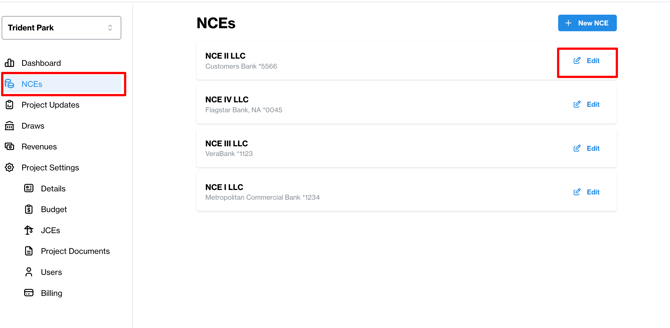
To add a new Investor click on the 'NCEs' tab on the left menu. You'll see all of your NCEs in this view.
Click the 'Edit' button next to the NCE that has received the Investor's subscription.
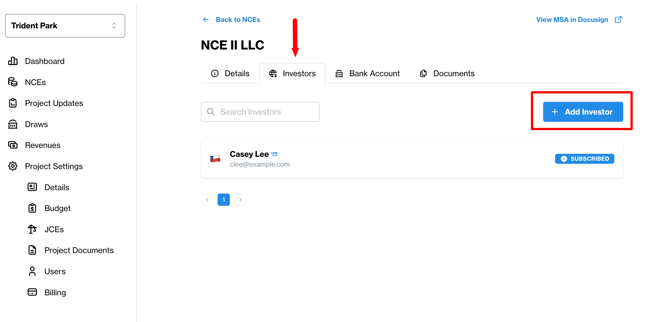
Once in the editable view, you will find the 'Investors' tab on the top of the page underneath the name of your NCE. Click on the 'Investor' tab to add new or view existing Investors.
To add a new Investor, hit the '+ New Investor' button on the top right.
You'll be prompted to provide the new Investor's contact information, upload their subscription documents and invite them to create a PRXY login if you'd like them to have access to the project (what they can see is outlined here). You can also resend an invitation.
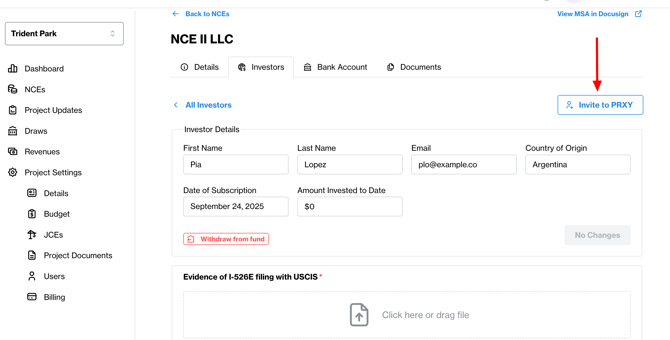
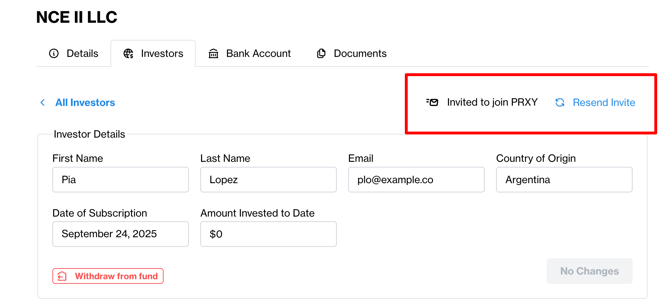
Once Investors are added, find key information about each one, including their status as a Subscriber to the NCE, whether they have withdrawn from the fund, and any missing documents.
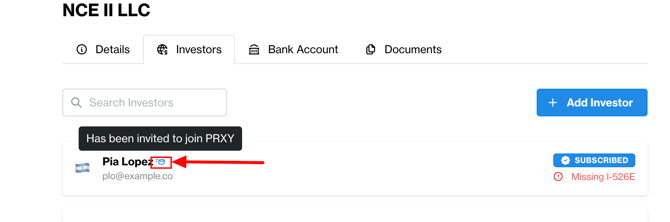
You can also confirm if they've accepted their PRXY invite -- hover over the icon next to their name for the status.